When I permanently deleted my Instagram and Twitter accounts, nothing about it felt wrong. But I didn't want to completely disappear from the internet. That's when I came up with this idea.
I wanted a place for articles, status updates, and whatever else I found worth sharing. Something more personal than social media, but more alive than a traditional blog.
As I built it, I kept finding small things that felt missing from the reading experience. Ways to make content easier to discover, easier to revisit, and more enjoyable to explore. What started as a simple blog gradually turned into something much larger.
Another thing I enjoy about this project is that it's never really finished. If I think a feature would improve the experience, I can experiment with it immediately. Many of the ideas in this tour didn't exist when the project started.
This guided tour walks through the decisions, features, and ideas that shaped it.
The Landing
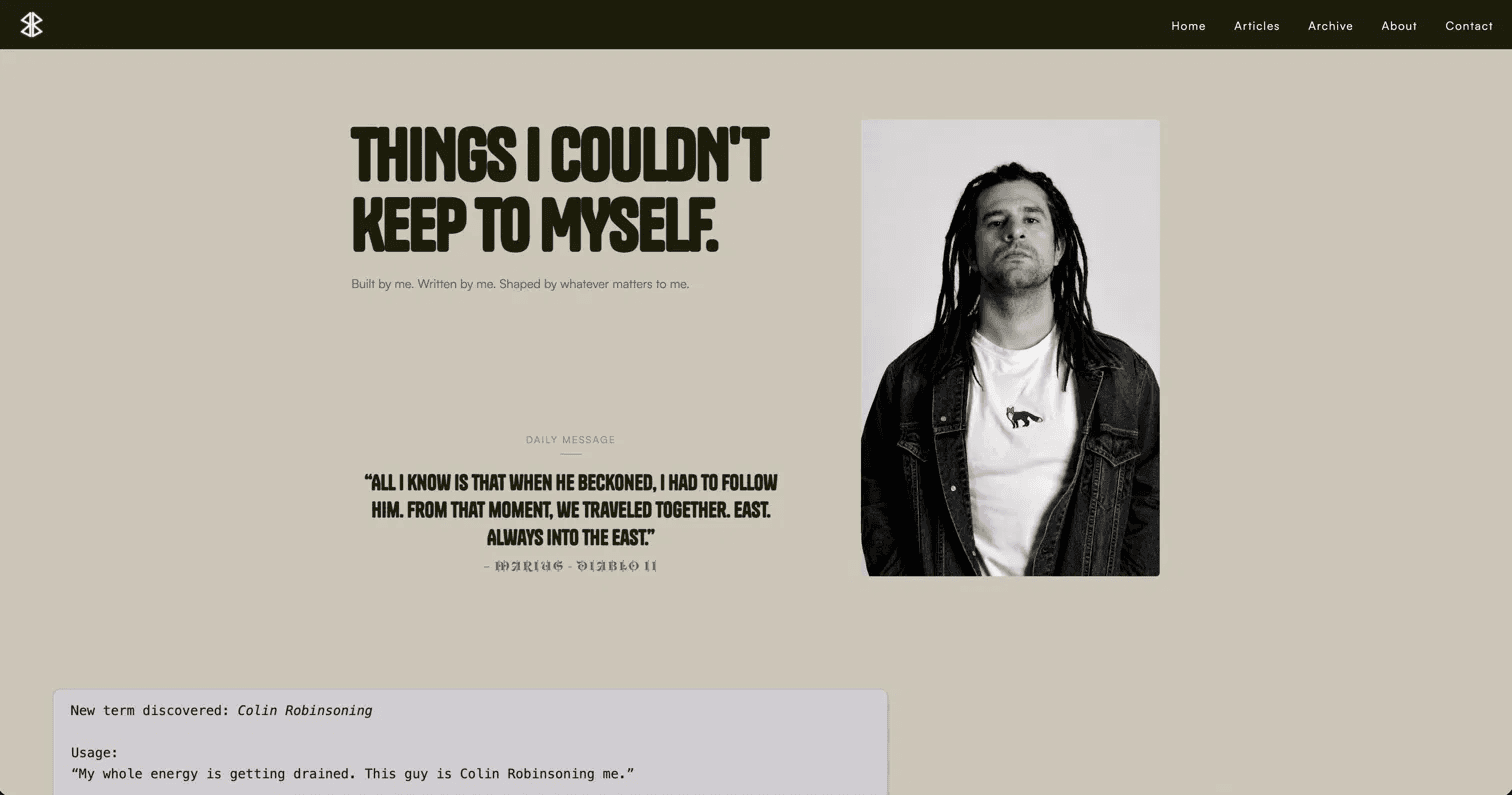
The first thing you see is the headline, Things I Couldn't Keep to Myself. It's set in Tanker, a display font that feels heavy and deliberate. I wanted the landing page to feel like a statement rather than a greeting.
Below it sits the daily message. Every day it changes. It's pulled from Supabase and written by me in advance. It's not a quote widget. It's more like leaving a note on the door for whoever shows up.
The profile photo sits to the right on desktop. Black and white, no caption. Together, the photo, headline, and daily message establish the tone of the site before a visitor reads a single article.
The Timeline
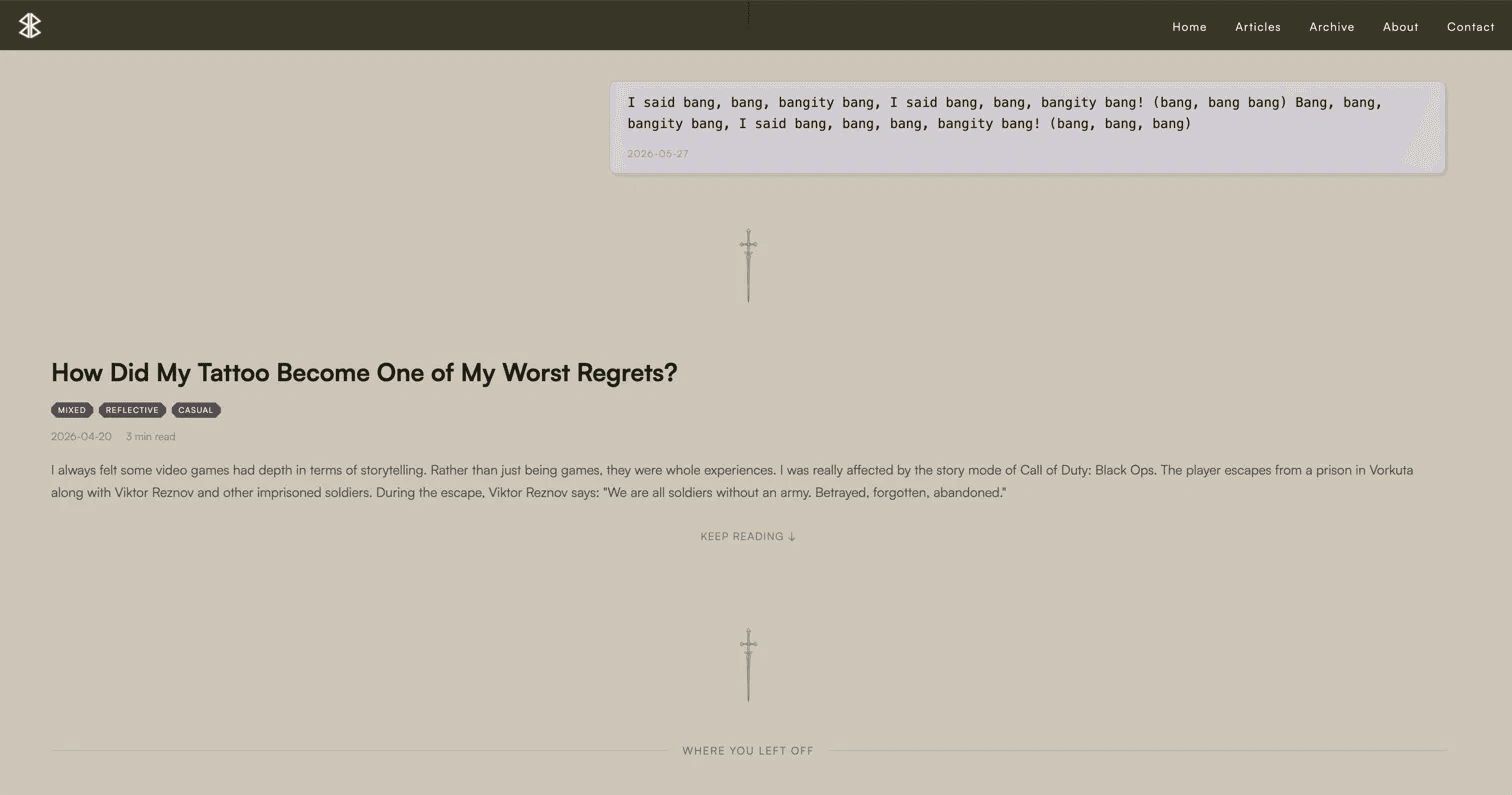
The homepage is a reverse-chronological timeline of everything I publish. Articles and status updates live together in the same feed.
I loved the idea of keeping them side by side. Sometimes a thought grows into an article. Sometimes it doesn't. Either way, both belong to the same timeline.
Articles show their title, tags, reading time, and an opening excerpt. Status updates are intentionally lighter. No title, no preview, just a thought captured in the moment.
Between entries sits a sword divider inspired by the Blade of the Ruined King. I originally used a simple "|" character, but it never felt right. Each entry is its own story, and I wanted a stronger sense of separation between them without adding visual noise.
Further down the timeline, returning visitors may notice a marker called Where You Left Off. The site quietly keeps track of what has already been read and places a divider before the first unread item.
The feature exists because I imagined someone returning to the blog after a few days or weeks. If they've been following along and enjoying the content, they shouldn't have to remember where they stopped. The site remembers for them. It's a small detail, but one that helps the space feel a little more familiar each time someone comes back.
Reading an Article
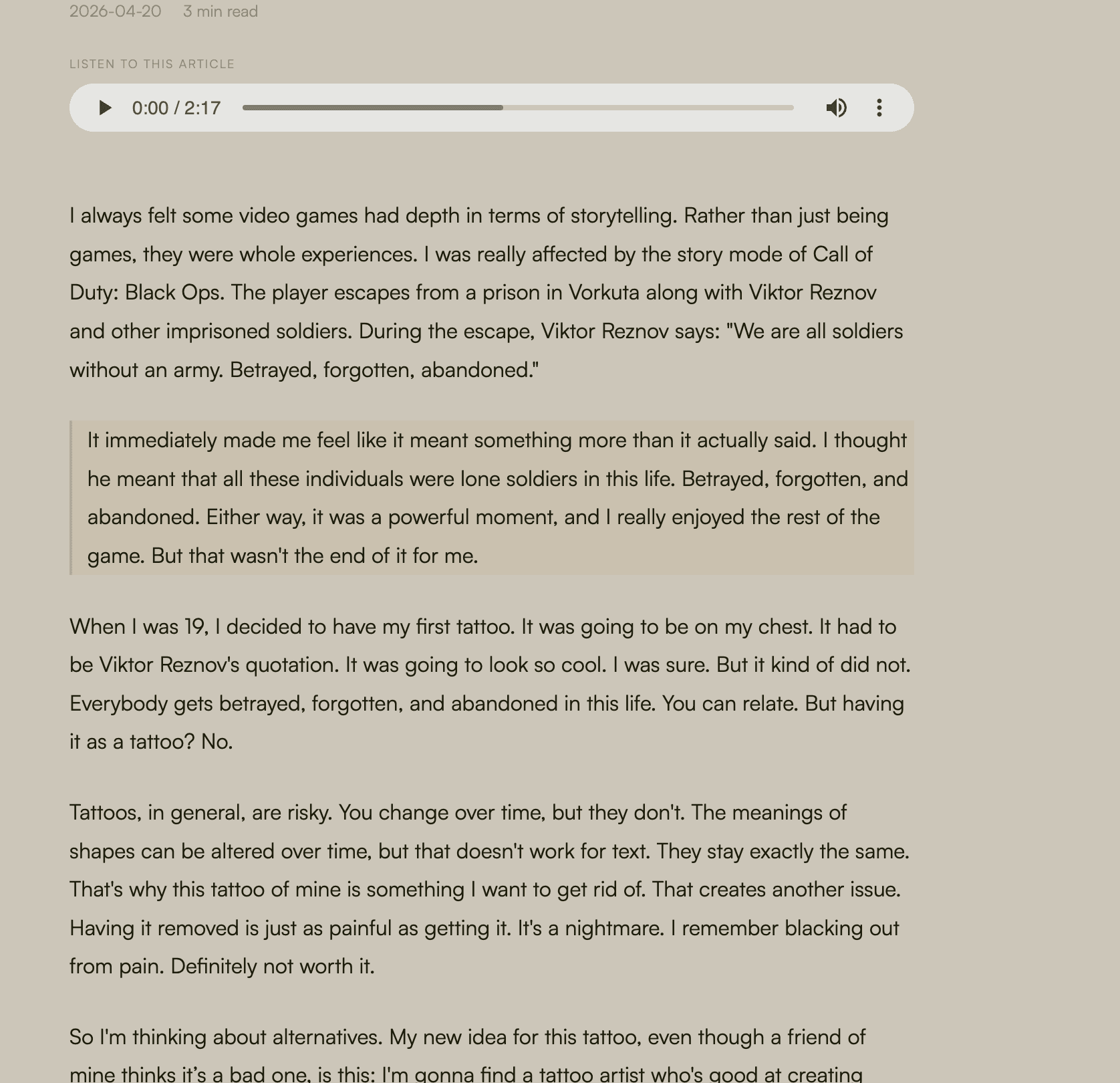
Article pages are intentionally simple. The title, tags, date, and reading time sit at the top. For articles with audio, a player appears just below. Each one is read aloud in my own voice, generated using a clone trained on my recordings. Below that, the content.
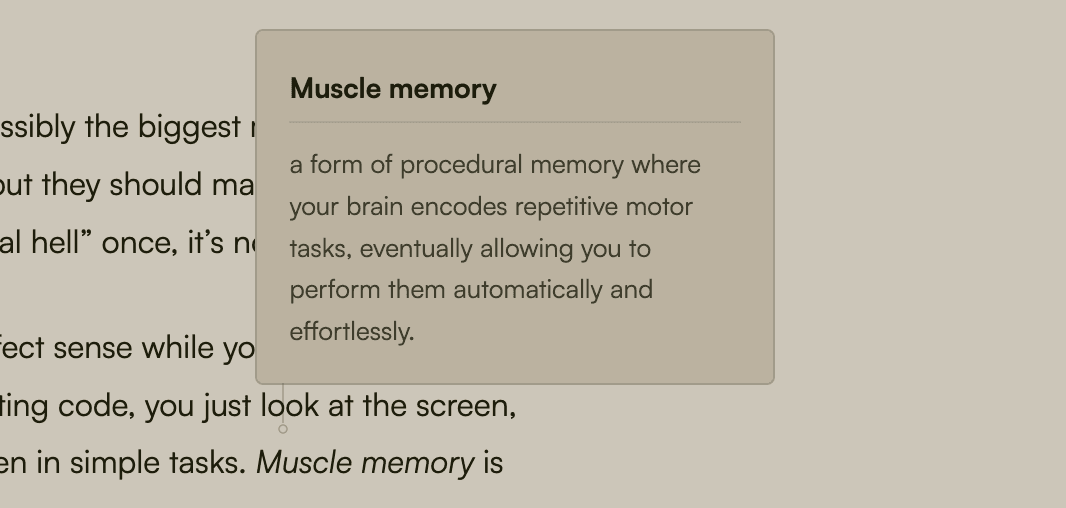
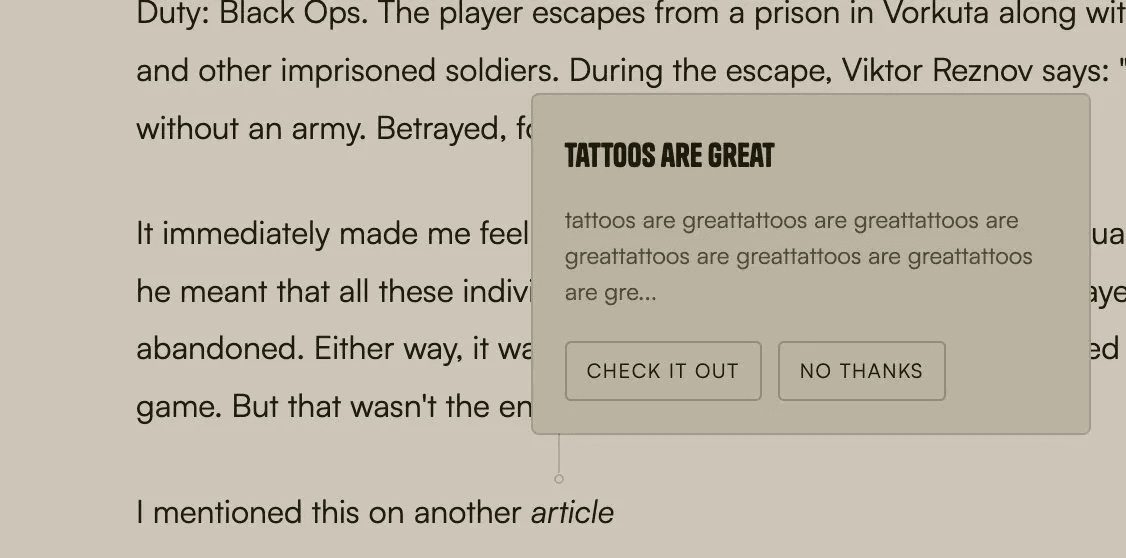
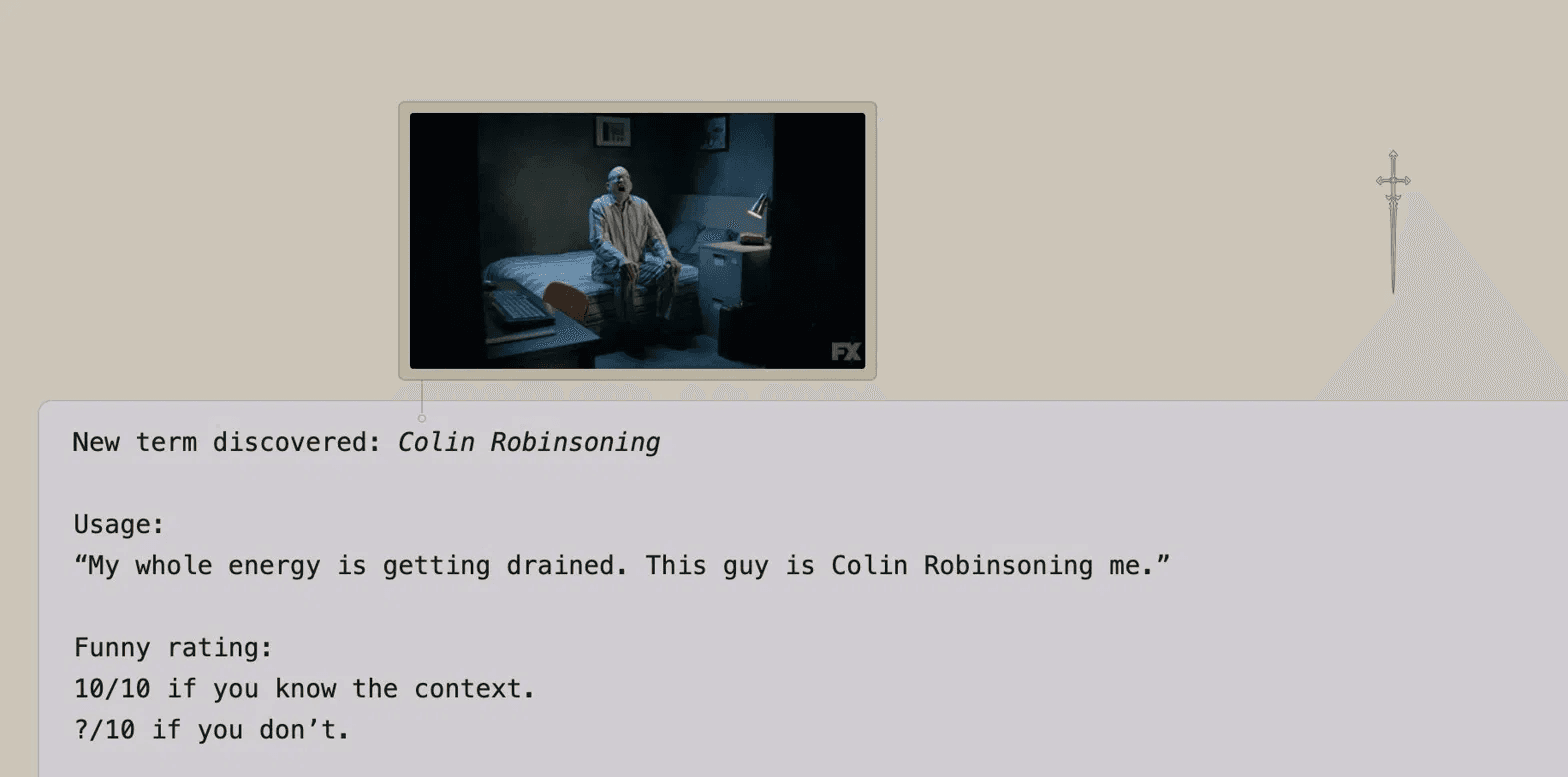
But the content layer has more depth than it first appears. While writing, I can annotate any word or phrase using a custom inline syntax. There are three types: a word definition that displays a small card with an explanation and optional phonemic transcription, an article preview that surfaces a related piece with a Check it out / No thanks prompt, and a GIF popup connected to the text by a small SVG line. All three appear on hover without taking the reader away from the page.
At the bottom, a You May Also Like section suggests articles from the same collection. These collections are generated through AI classification, with each article assigned to the theme that best fits its content. The recommendation system simply uses those classifications, allowing related articles to connect automatically as the archive grows.
Collections & Articles
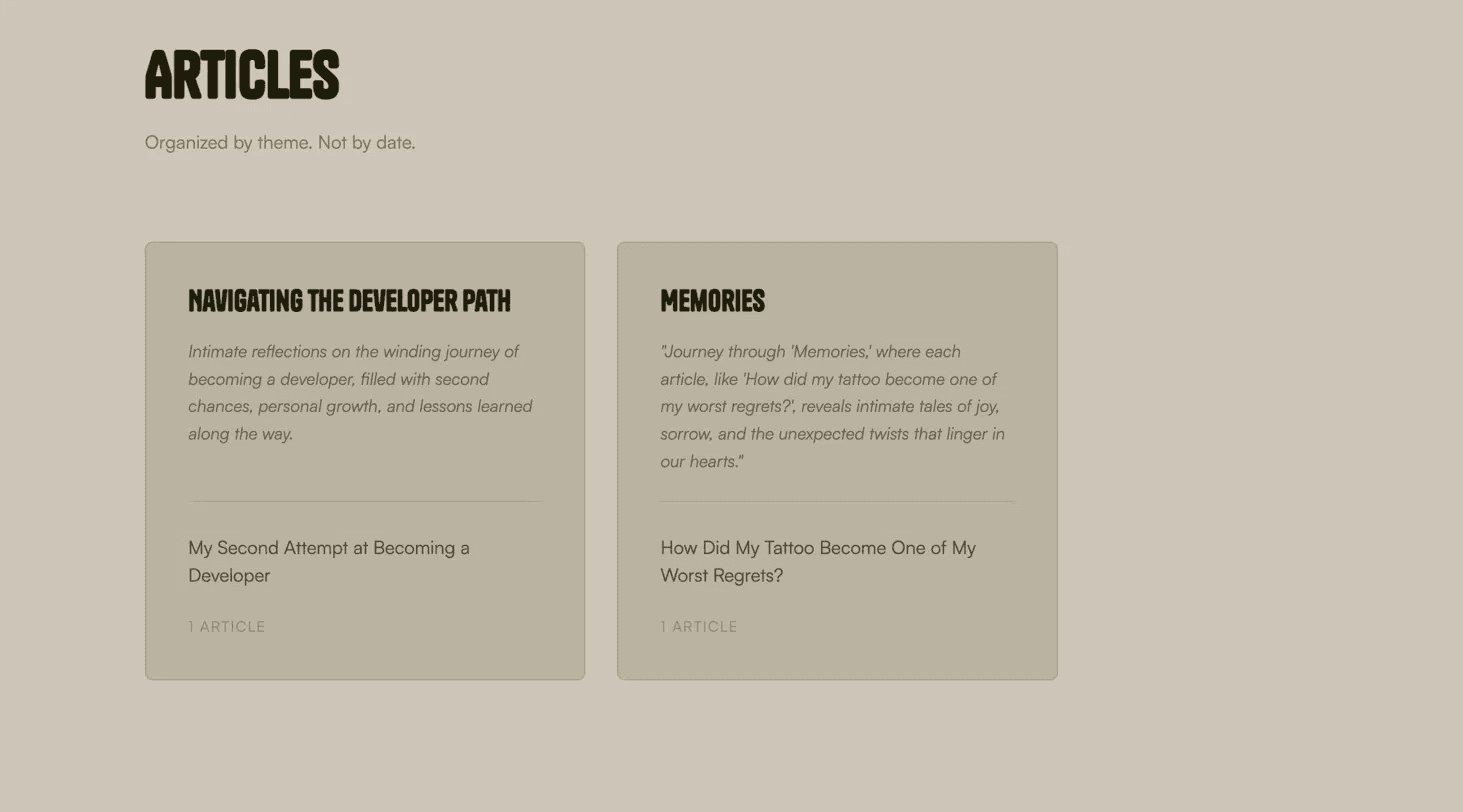
The Articles page organizes everything by theme rather than date. The subheadline says it plainly: Organized by theme. Not by date.
Each collection appears as a card containing a title, a one-line description, and the articles that belong to it. The descriptions are written by GPT-4o-mini. Given a collection name and its articles, it generates a single evocative line that captures the mood of the group.
The collections themselves are determined during article classification. When I publish something new from the dashboard, GPT-4o-mini reads the content and decides which existing collection it belongs to, or proposes a new one if nothing fits. I review and approve every classification before it's saved. When that creates a new collection, its one-line description is generated and saved automatically — no separate review.
The result is an archive that evolves alongside the writing. As new articles are published, existing collections deepen, new ones emerge, and the structure grows without requiring manual sorting.
The Small Things
Most visitors won't notice these features immediately, and that's the point. They exist to make the experience feel a little more personal over time.
The blog uses localStorage to remember where a visitor left off. As the timeline grows, returning readers can quickly find their place instead of searching through everything they've already seen. Once someone has read every available article, they're greeted with a simple message: There's nothing left to read. Thank you.
The site also keeps track of repeat visits. After someone returns several times, they're invited to participate in a short survey. The goal isn't marketing or lead generation. It's learning who keeps coming back and why.
The survey asks simple questions: Are you a recruiter, a friend, another developer, or just passing by? What made you return? Which features stood out? Did anything feel confusing?
Individually, these features are small. Together, they help the site adapt to its visitors rather than treating every visit as if it were the first.
The Dashboard
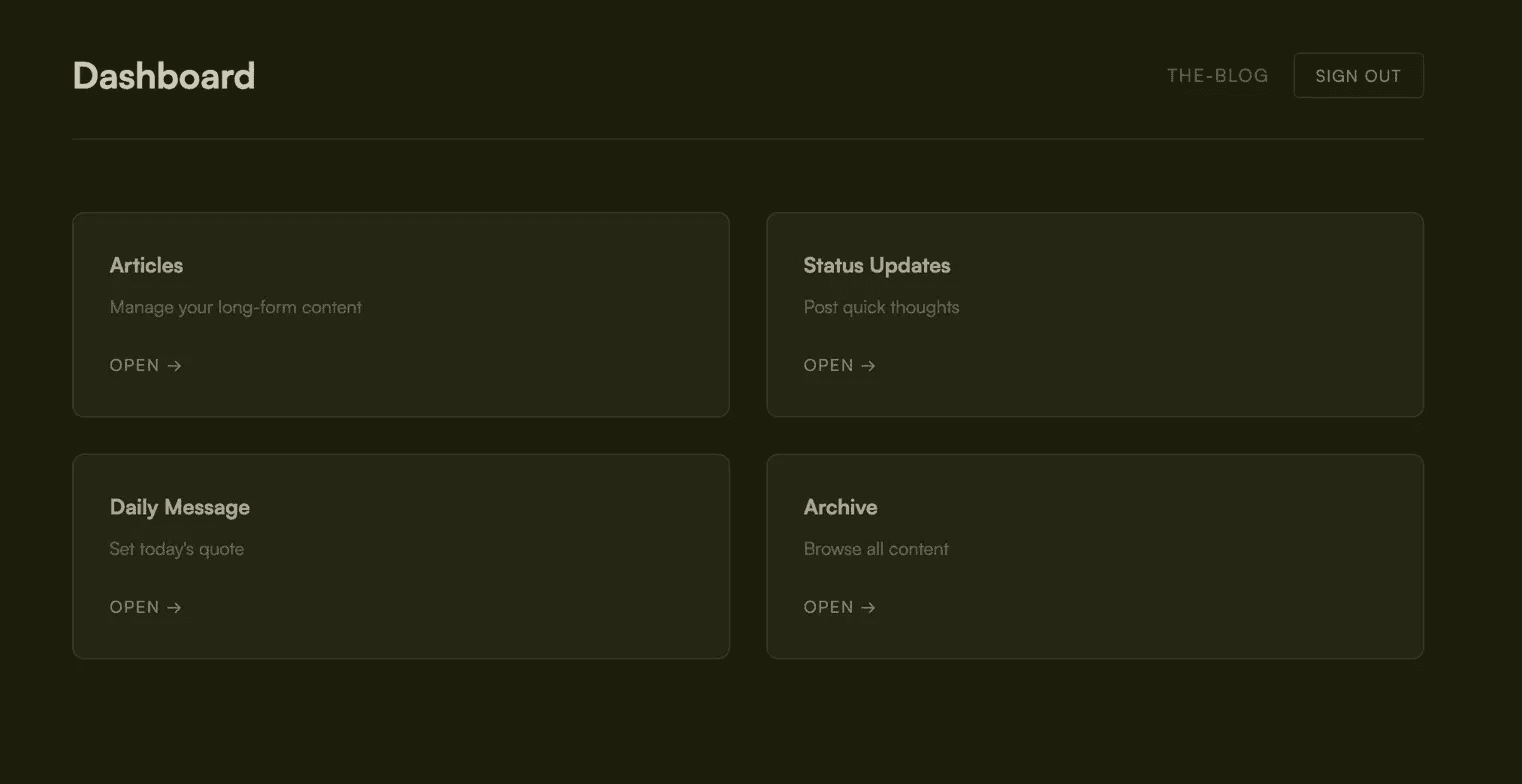
The dashboard is where everything is managed. Articles, status updates, daily messages, and the archive each have their own section. It lives behind authentication and is completely separate from the public-facing experience.
The most important part is the publishing workflow. After writing an article, I can trigger AI classification directly from the dashboard. GPT-4o-mini reads the content and returns topics, tone tags, an estimated reading time, and a collection assignment. Every suggestion is reviewed and can be edited before publication, except a new collection's one-line description, which saves automatically.
The goal isn't to automate writing. It's to automate organization. The AI handles the repetitive tasks that would otherwise become difficult to maintain as the archive grows, while every publishing decision remains under human control.
Throughout the project, AI is treated as an assistant rather than an author. It helps organize, classify, and connect content, but the final judgment always stays with me.